What would happen to your digital estate if you died, suddenly, before finishing this paragraph? Would your survivors be able to find what you left behind?
There is nothing hypothetical about this for many people: the problem emerges, wholly formed, when tragedy strikes. What's worse, more than half of Americans don't have a will, let alone one that's up to date, according to a 2016 Gallup Poll. As a result, most survivors lack a road map to the deceased's assets (physical and digital) or even, in some cases, the legal authority to proceed.
Fortunately, there are many things you can do now, without a lawyer, to make things easier for your survivors.
#1 Build a back door Fifteen years ago, if you died and your next of kin got your laptop, that person was pretty much guaranteed access to your data. Then, in 2003, Apple introduced full disk encryption, designed to protect your data from a thief, but also keeping it out of the reach of your survivors. Cryptocurrencies pose a similar problem: if no one has access to your digital wallet, then any value there is lost—there's no Bitcoin central control to complain to.
Today there's a debate as to whether tech companies should put back doors in their crypto technology so law enforcement can get access to data on devices they seize during an investigation. Short of that, it's easy to back-door your encryption yourself: just write down your hard drive's master password, put the paper in an envelope, and seal it. Do the same with your Bitcoin wallet. Make sure it's well hidden but in a location that's known to your loved ones.
#2 Sign up for Inactive Account Manager If you have a Gmail account, use Inactive Account Manager to specify an e-mail address that will be automatically notified three months after your Google account goes inactive. Google defines "activity" broadly: if you check Gmail, log in to a Google website, or perform a search with a Chrome browser that's logged into your account, Google will assume you're not dead. But when your digital heartbeat stops, this approach ensures that someone you trust can access your Gmail account, Google Photos, and other data.
#3 Download your medical records Your doctor is supposed to keep copies of your test results and other records, but it's a good idea to keep your own. Ask for copies and scan them. You might also be able to get your records directly if your health-care provider participates in the US government's Blue Button Connector, which lets you download PDF files for yourself and a special format for other health-care providers (should you wish to give it to them).
My elderly father keeps a copy of his records on a USB stick that he carries with him at all times. It comes in handy when he sees a specialist who might not have access to his primary care provider's computer. Yes, there's a risk the stick could fall into the wrong hands, but he's decided that the risk of medical professionals not having access to his records is greater.
#4 Use a password manager It used to be straightforward to identify the deceased's accounts by waiting for bank statements and tax bills to arrive by snail mail. These days, two thirds of Americans do their banking online (according to a 2017 survey by the American Bankers Association), and many people no longer receive paper statements. This significantly increases the chance that your bank accounts or retirement accounts might be declared "abandoned" in the event that you die.
So use a password manager like 1Password or LastPass. Now make sure that your spouse, or lawyer, or children, or parents, or somebody has some way to get to your accounts (so they can, for example, save any cherished photos or easily delete your accounts after you're gone).
One way that couples can simply access each other's accounts is by sharing their passwords. This is getting harder as websites implement two-factor authentication, but it's still possible by registering multiple second factors (like a FIDO Universal 2nd Factor device) and giving one to each partner.
#5 Ponder the complexities of social media If you are an avid user of Facebook or Twitter, take some time to read their data-after-death policies. You might not like what you find.
When Facebook is notified that one of its users has become medically incapacitated or died, the company allows authorized individuals to request that the user's account be either "memorialized" or removed. Be aware: memorialized accounts can be managed by a legacy contact (who has to be specified in advance), but that person can't log into the Facebook account, remove or change past posts, or read private messages. In one famous case, parents of a 15-year-old German girl who died after being hit by a subway train were unsuccessful in trying to force Facebook to open the girl's account so that they, the parents, could determine if she had experienced cyber-bullying or depression, or if her death really was a tragic accident.
Twitter's policy is similar: after you die, a family member can contact the company and ask that your account be deleted, according to a help page on its website. Twitter will also, if requested, remove specific imagery or messages sent just before or after an individual's death. But Twitter will not give family members access to a deceased user's private messages.
So if you're storing something on Facebook that you'd like people to have access to after you're gone, you should download that data regularly and store it where your loved ones will have access—for example, in Google Drive.
#6 Be careful what you wish for I gave much of this advice at a cybersecurity training seminar a few months ago, and almost everybody in the room thought I was crazy. The people there—mostly men—said they'd never share their passwords with their spouses.
And maybe they've got a point. Family members should be careful about taking extraordinary measures to crack open these encrypted digital crypts, warns Ibrahim Baggili, associate professor of computer science at the University of New Haven and an expert in digital forensics. "This person I knew died, and his wife managed to finally break into his e-mails and iPad and found all sorts of things about him that she did not want to know," says Baggili. "She really loved him, and it changed her whole perspective on him."
Simson Garfinkel is a science writer living in Arlington, Virginia, and coauthor of The Computer Book: From the Abacus to Artificial Intelligence, 250 Milestones in the History of Computer Science, published this November by Sterling Milestones.
The GIS software options out there seem endless. ArcGIS, QGIS, GRASS GIS, SuperGIS, SAGA GIS, JUMP GIS… The range of GIS products to choose from can get a bit "ridiculous" at times.
Don't worry.
You map out solutions to real-life problems every day. You just need someone to map out the GIS software landscape for you.
A GIS software landscape that is constantly changing with commercial and open source to choose from.
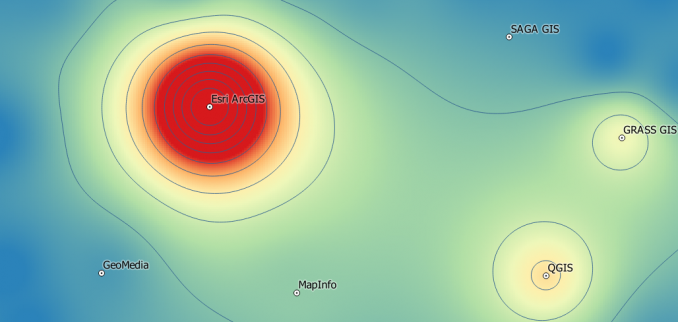
Today, you will get a sneak peek at what GIS software packages the industry is using. Discover the GIS software market and learn all the options available for you in our list of GIS software.
1 ArcGIS (Esri)
Commercial Community 100 Research 100 Employer 100 Popularity 100
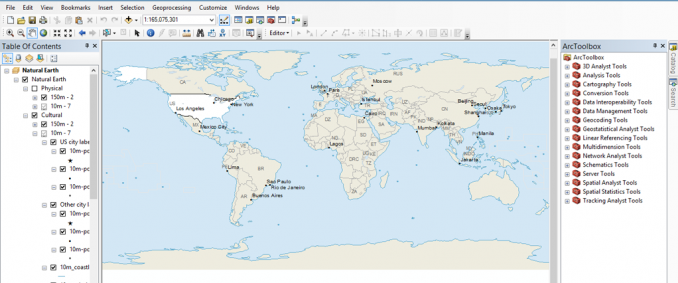
Esri ArcGIS is the powerhouse in GIS. It's so influential that the term ArcGIS is sometimes (mistakenly) used interchangeably with GIS. Esri sits on top of the world as the biggest GIS software company. No questions asked.
You may have wasted hours trying to complete a basic task with other software. It may be because the tool did not exist or took several steps to get there. This is why ArcGIS is a worthy time investment. It often gets the job done faster. Esri raises the bar to the next level in the GIS industry while other GIS software options are left playing catch-up.
ArcGlobe, ArcGIS Pro, ArcMap (Basic, Editor and ArcInfo), 3D Analyst, Spatial Analyst, Geostatistics, Network Analyst, etc. The functionality is there. But it comes at a price.
You hear it often from disgruntled GIS users from around the world: ArcGIS sucks. But our analytics shows the exact opposite. Esri leads the GIS software industry in user community discussion, employer software usage and academic research – by a substantial margin.
Do you want job security?
Do you want to publish a research paper?
Do you want to connect with GIS professionals?
All answers point to one thing. Learn ArcGIS. As Jack Dangermond says, 'applying geography to everything will change our world'.
ADVANTAGES
DISADVANTAGES
Customization, modeling and scripting
Maintenance and scalability
Cartographical output, Web mapping and data driven pages
Large user community and well supported documentation
Open Source Community 100 Research 17 Employer 4 Popularity 31.8
The accelerating use in QGIS represents the most significant open source technology adoption in GIS today. With QGIS (formerly Quantum GIS), you create, edit, visualize, analyze and publish geospatial information without a cost.
FOSS stands for Free and Open Source Software. FOSS is what QGIS is all about. It's free GIS software developed by a community of dedicated volunteers.
400. This is the number of plugins QGIS has to offer. If you really wanted to, you could test a new plugin every day of the year. Integrate your CAD data, generate heat maps and add OpenStreetMap and Bing layers in a flash.
QGIS plugins give you the power to process and analyze GIS data like the Incredible Hulk. If you like the AppStore, the QGIS plugin repository is your equivalent. In the GIS community, QGIS is widely believed as best open source option because of its top-of-the line cartography and processing.
ADVANTAGES
DISADVANTAGES
Extendability with plugins
Stunningly beautiful cartography and labeling
Large user base, online support and thorough documentation
Open Source Community 38 Research 85 Employer 2 Popularity 25.6
GRASS GIS (Geographic Resource Analysis Support System) was developed by the US Army Corps of Engineers and is a free alternative to commercial GIS software. It is remarkable how much the program has advanced over the years. Its use in academic publications is stunning. It's popular in academic circles because open source code can be inspected and tailored to their needs.
350. GRASS GIS offers this many modules for GIS analysis. This includes data management, image processing, graphics production, spatial modelling and visualization. It's no wonder why NOAA, NASA and USGS use GRASS GIS because of this open functionality. And don't forget that GRASS GIS can be unleashed through QGIS.
GRASS GIS brings advanced geospatial concepts to the world.
Commercial Community 22 Research 15 Employer 6 Popularity 11.6
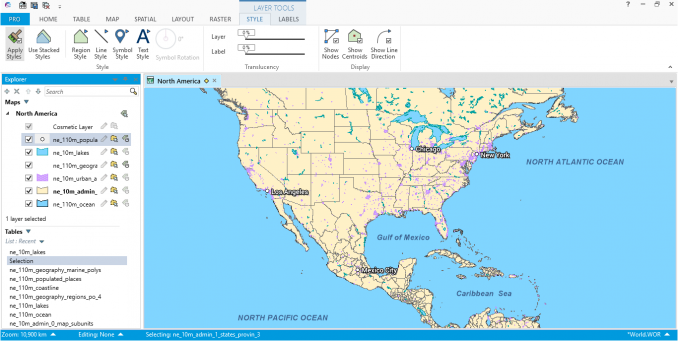
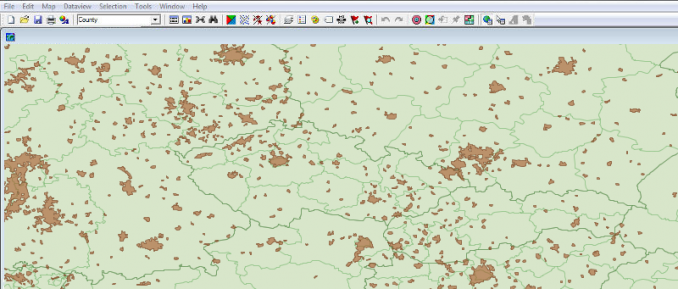
At its core, MapInfo Professional allows you to create, manage and visualize GIS data. It does what all good GIS software can do. MapInfo connects geography with data but with a smaller price tag. MapInfo by Pitney Bowes' motto is "locational intelligence". Detailed mapping, data analysis, pattern & trend identification – these are reasons why businesses are deploying MapInfo's "location intelligence".
The MapInfo GIS Suite lets you create, access and manage geospatial assets, visualize business intelligence and customer data, and share high-quality interactive maps – quickly and easily.
MapInfo (alongside Intergraph) have been the only competitors to Esri in the commercial GIS market. Usability is key to MapInfo's GIS philosophy because usability means productivity. Beginner to advanced level users can do more with added functionality.
Commercial Community 15 Research 2 Employer 2 Popularity 5.2
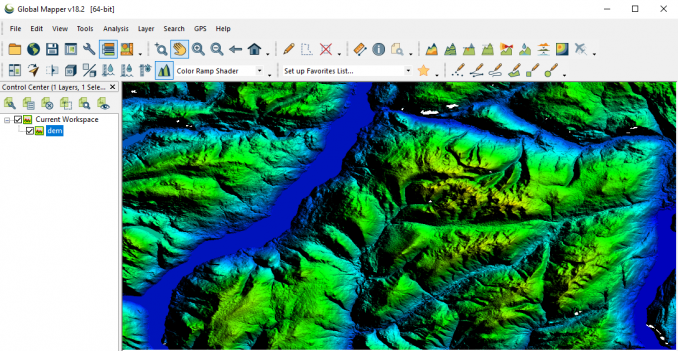
Global Mapper was originally developed by USGS to display topographic maps (.DRG) and digital elevation models (.DEM). This GIS software has evolved into a cost-effective commercial product. Like most GIS software options, it allows users to view, edit, merge and export hundreds of supported file formats.
Global Mapper is an affordable and easy-to-use GIS application that offers access to an unparalleled variety of spatial datasets and provides just the right level of functionality to satisfy both experienced GIS professionals and beginning users.
As far GIS software reviews go, Global Mapper is known to be a "Swiss army knife" in GIS analysis. It's straight forward but also has an incredible amount of flexibility. Global Mapper hasn't strayed too far away from its original purpose of working with elevation data. Its primary applications include area calculations, viewshed analysis, watershed delineation, contour lines, 3D viewing, rectification tool and GPS support.
Commercial Community 6 Research 5 Employer 5 Popularity 4.4
With a 40 year history, Intergraph (now Hexagon Geospatial) has evolved into a prime GIS software solution for security, government, infrastructure and more. Intergraph is solution-driven and provides real-world GIS applications. How can GeoMedia deliver usable information? This is the core philosophy of Hexagon Geospatial.
GeoMedia, a comprehensive and dynamic GIS, extracts compelling intelligence from geospatial data and integrates it to present actionable information.
Intergraph GeoMedia is a vector and raster-based GIS software product. It's a mature GIS software program for data collection, analysis or management that delivers actionable intelligence. Actionable intelligence in transportation, utilities, communications and emergency management.
Commercial Community 7 Research 12 Employer 0 Popularity 4.2
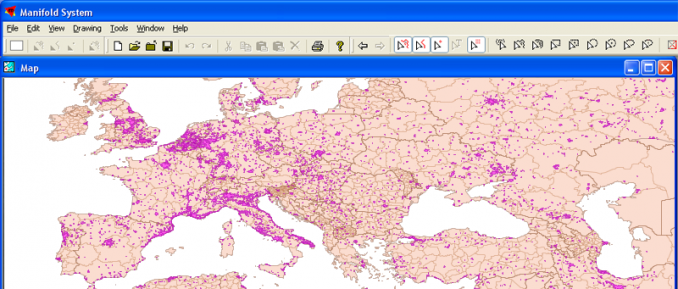
Manifold System is one of those mapping software packages that you can pick up quickly. It consists of a desktop application, an object library for programmers and an Internet Map Server. Manifold has more or less the full capabilities of higher-priced GIS software package but without the price tag. An intuitive interface, programmability and running in 64-bit are some of its advantages. What makes Manifold System even better is the small price you pay for a good set of GIS processing and data management tools.
Manifold GIS is a combination of mapping, CAD, DBMS and image processing. The hallmark of GIS is the power of using a visual interface to view, grab, analyze, manipulate and transform data that would not be comprehensible in classic row and column DBMS text presentations.
ADVANTAGES
DISADVANTAGES
Stable and intuitive GUI
Wide range of functions with programmability
Natively 64-bit
Low price
Minimal cartographical tools available
8 SAGA GIS
Open Source Community 15 Research 4 Employer 0 Popularity 4.0
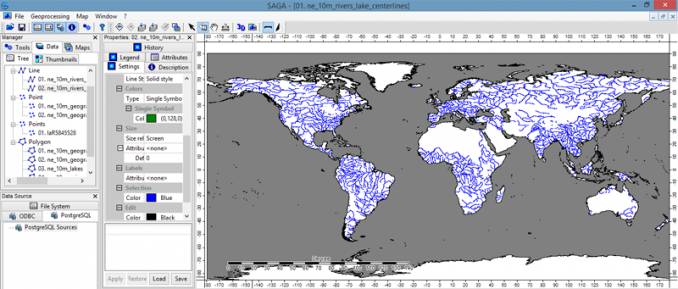
Its name says it all. SAGA GIS stands for "System for Automated Geoscientific Analyses". It's no secret that SAGA GIS specializes in higher-level physical geography applications. Its developers have put an incredible amount of time in building a robust free GIS software package. It's transformed itself into one of the primary open source GIS software packages in the world.
SAGA gives geoscientists an effective but easy learnable platform for the implementation of geoscientific methods.
Standard modules on SAGA GIS are for raster visualization and terrain data. Over 300 modules exist ranging from manipulating raster and vector data to storing, managing and creating spatial data. Multiple windows (histograms, attribute data, map view, print layout, scatter plots and properties) can be set up to give you a complete picture. You just need the screen real estate. SAGA's API makes it easy to implement your own modules. Although the command line isn't user-friendly, it can be used with batching and routine processes.
ADVANTAGES
DISADVANTAGES
Unique toolsets for geoscience not found in most GIS software
Commercial Community 1 Research 8 Employer 3 Popularity 3.8
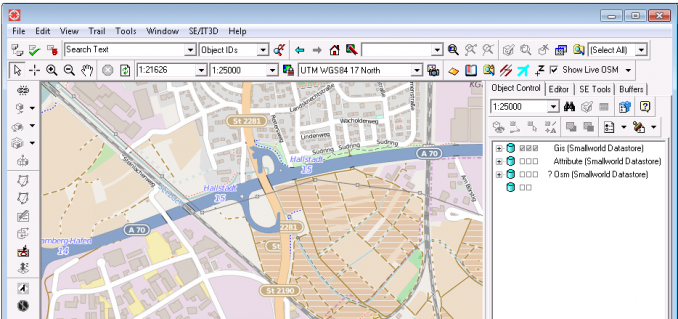
If you're working in telecommunications or utilities, take a look at GE Smallworld. When SmallWorld was acquired by General Electric, it became the GIS software of choice by utility companies. Its main product is SmallWorld Core which specializes in managing network infrastructures.
This revolutionary, object-oriented, database-driven product provides a powerful, consistent architecture at the heart of many applications, such as those used for planning electric, gas and water distribution systems, designing telecommunications networks and evaluating strategic market opportunities.
But SmallWorld is not your typical do-it-all GIS software. Key advantages are its open data accessibility and scalable architecture. GE Smallworld enables data access and querying, thematic mapping and visualization. It offers spatial analysis tools like buffering, proximity measurements and network analysis. SmallWorld's version managed database (VMDS) sets it aside from competition because of its ability for versioning and restoring backups.
ADVANTAGES
DISADVANTAGES
Specialized for utility/network infrastructure
Versioning, MAGIK coding
Not complete for all GIS purposes
High cost of license and maintenance
10 ILWIS
Open Source Community 12 Research 3 Employer 0 Popularity 3.2
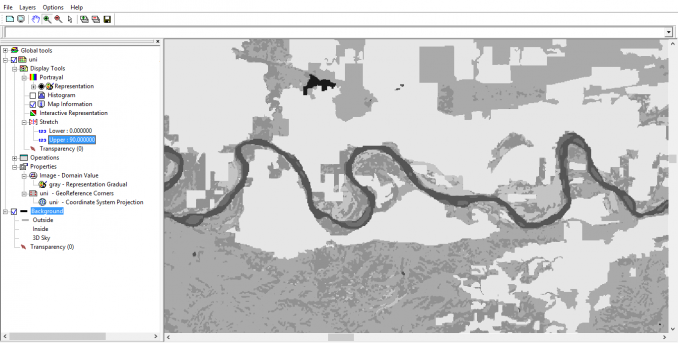
If you like to visit the past, the ILWIS (Integrated Land and Water Information System) website is like travelling back in time. It also means that ILWIS has been around for a while. ILWIS has existed in the GIS software landscape for as long as GRASS GIS.
It started development in the Netherlands and later became free GIS software. It's similar in many respects to GRASS- vector, raster processing with practical tools. Advanced techniques are erosion modeling and raster image processing may put ILWIS in your peripheral vision.
Commercial Community 3 Research 12 Employer 0 Popularity 3.2
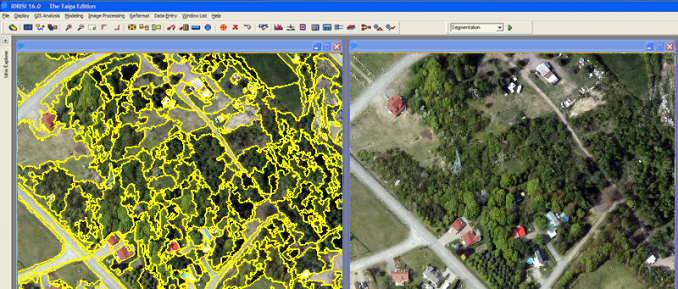
Since 1987, IDRISI has delivered remote sensing and image processing as an inexpensive option for analysis.
You may have grown up using IDRISI. Universities around the world are structuring courses around IDRISI. And with good reason – the software includes exactly what you need – image classification tools, restoration, enhancement, temporal analysis and object-based image analysis.
What you may not have known is that IDRISI has vector-based functionality as well. There is a range of basic to advanced tools for spatial analysis. IDRISI includes tools for spatial statistics, distance calculation and database querying.
ADVANTAGES
DISADVANTAGES
Monitoring and modeling the Earth system
Object-based image classification and land change modelling
2D and 3D visualization with time series
Low documentation without community forum
Mapping layout support
12 AutoCAD Map 3D and Autodesk Geospatial (Autodesk)
Commercial Community 4 Research 1 Employer 3 Popularity 3.0
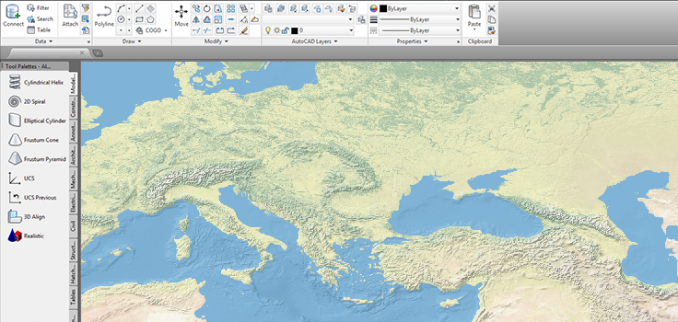
Not many companies can claim they single-handedly took the largest market share of an industry. Well, Autodesk has done this with the CAD industry. Autodesk is also integrating itself in the geospatial market with their GIS software product "AutoCAD Map 3D and Autodesk Geospatial".
These products are meant to bridge the gap between CAD and GIS. You can derive more value from your data with geospatial analysis. For example, buffers can be applied to notify affected properties within a specified distance during municipal rezoning applications. Querying can identify pipeline material in a dataset. When you link CAD and GIS, you get the best of both worlds.
AutoCAD Map 3D software provides access to GIS and mapping data to support planning, design, and data management.
ADVANTAGES
DISADVANTAGES
CAD/GIS fusion
Topology, analysis and querying tools
2D and 3D visualization with time series
Limited mapping and thematic tools
Bulky interface
Cost
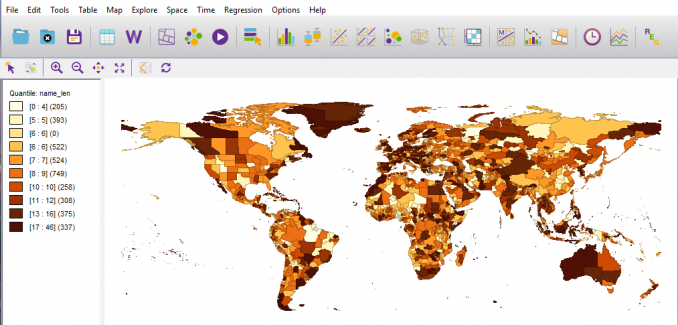
13 GeoDa
Open Source Community 2 Research 8 Employer 0 Popularity 2.6
GeoDa is a free, cross-platform software designed for dynamic visualization, exploratory spatial data analysis, and spatial statistics. It has been around for almost 15 years starting as an ArcView 3.x extension. Later, it was recoded to be independent of ArcView and is now associated with an illustrious group of GIS educators and researchers.
GeoDa is an open source software tool implementing state-of-the-art methods for geospatial analysis, geovisualization, geosimulation, and spatial process modeling.
ADVANTAGES
DISADVANTAGES
Data exploration for understanding statistics
Geosimulation with data display
Specialized in statistics and not full-fledged GIS software
Missing traditional tools like editing and geo-algorithms
Open Source Community 8 Research 2 Employer 0 Popularity 1.75
The gvSIG project began in Valencia, Spain to replace commercial GIS software. gvSIG is a GIS software package that handles, captures, stores and solves complex geographic problems. It places emphasis to access all common vector and raster formats in a user-friendly interface. gvSIG offers a range of tools (query, layout, geoprocessing, networks, etc) that compares to commercial GIS software options.
Some of the new developments are gvSIG 3D, which uses NASA's World Wind SDK for realistic 3D scenes. gvSIG Mobile helps field crews collect data with Windows Mobile devices.
What are the advantages and disadvantages of using gvSIG: , , , gvSIG 3D, intuitive GIS processing, stable free GIS software.
Map all day. Geoprocess all night. All with gvSIG software.
Commercial Community 1 Research 2 Employer 2 Popularity 1.6
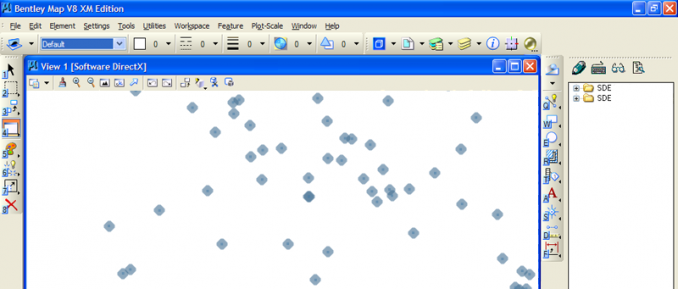
We step into a world of CAD and GIS all meshed into one. Bentley Map combines the power of CAD with the strengths of a traditional GIS. It offers interoperability and 2d overlay tools for GIS analysis. Advanced map finishing tools give high quality cartographical output.
It's powerful, extensible 2D/3D GIS and mapping software for the world's infrastructure
In Bentley Map, you can build 2D features with attributes and domain lists. But you can also build 3D features like buildings. This is useful for visualizing how underground utilities are networked. It renders terrain models and point cloud data quickly. One of the neatest qualities of Bentley Map is the capability to perform GIS analysis in 2D and 3D. Some of the 3D analysis possible with Bentley Map includes sunlight effects on buildings, custom fly through animations or shadow studies. Like all GIS software, you can create high quality cartographical output.
ADVANTAGES
DISADVANTAGES
CAD/GIS fusion
2D and 3D viewing
3D analysis
High cost
Poor labeling and annotation
Lack of KMZ/KML support
16 Golden Software (MapViewer, Surfer and Didger)
Commercial Community 1 Research 5 Employer 0 Popularity 1.5
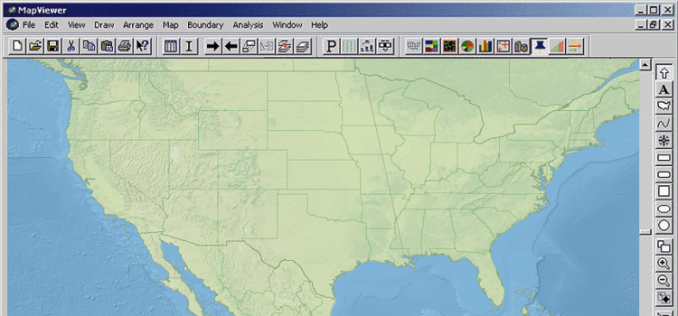
Golden Software has developed several packages with an emphasis on uniquely displaying map data. MapViewer is a good choice for thematic mapping and spatial analysis. On the other hand, Surfer is a flexible mapping package primarily for 3D surface and contour mapping. It easily interpolates your XYZ data into functional maps at break-neck speeds. Lastly with Didger, you can dynamically digitize any map, graph, aerial photo, site map, or printed image regardless of size. These are 3 very unique ways to display data!
Surfer is a full-function 3D visualization, contouring and surface modeling package. MapViewer is an affordable mapping and spatial analysis tool that allows you to easily produce publication-quality thematic maps.
ADVANTAGES
DISADVANTAGES
Short learning curve and versatile
Focus is on data visualization
User-friendly
Manipulate XYZ points
Affordable
Specialized in specific areas
17 uDig – User-friendly Desktop GIS
Open Source Community 5 Research 1 Employer 0 Popularity 1.2
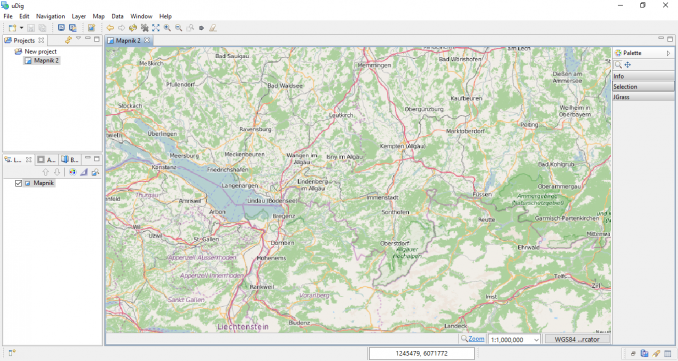
uDig (user-friendly Desktop GIS) was developed by Refractions Research. Refractions is the developer and maintainer of not only uDig but PostGIS – a standard open source spatial database. While uDig is a working open source desktop GIS application, it is also an open source GIS development platform. Volunteers world-wide continue to develop this open source desktop application. Focus is placed on database viewing and editing as well as a rich collection of GIS functionality.
ADVANTAGES
DISADVANTAGES
Biodiversity and forest management
Solid documentation
Incomplete for cartography and analysis
Less frequent releases compared to other open source GIS projects
Open Source Community 4 Research 0 Employer 0 Popularity 0.8
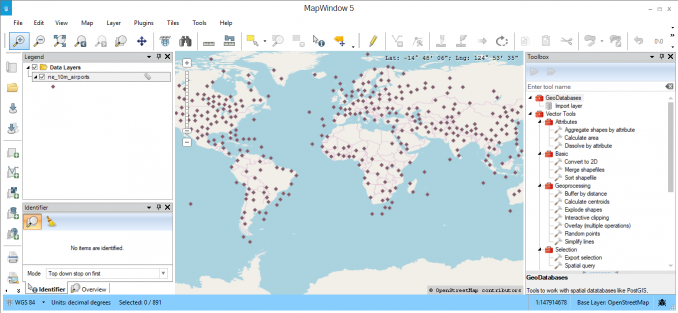
MapWindow 5 is a ready-to-use spatial data viewer and GIS software package. It's free and open source system that can be modified and extended using plugins.
MapWindow is good for basic GIS needs – map making tools, simple editing and visualization. It's also a promising open source solution for hydrology applications.
ADVANTAGES
DISADVANTAGES
HydroDesktop for data discovery, download, visualization, editing
Extensible plugin architecture
DotSpatial for GIS programmers
Smaller community support compared to other open source projects
19 Maptitude (Caliper Corporation)
Commercial Community 1 Research 0 Employer 0 Popularity 0.6
Maptitude is a GIS software package that provides the tools, maps and data you need to inspect geographic patterns in data. On top of that, you are able to create beautiful maps without much pain. Maps range from scaled-symbol thematic maps to 3D prism maps. Maptitude has a flatter learning curve than other GIS software in an affordable price range.
Maptitude focuses on solutions to geographic patterns with basic GIS processing tools. Industry solutions range from banking, business, health care, law enforcement, route planning and street mapping. You won't be using Maptitude for any advanced problems such as least squares regression or LiDAR conversion. But it's a bargain if you need some general purpose mapping.
ADVANTAGES
DISADVANTAGES
Quick and beautiful maps
Flat learning curve
Various map types and cartography options
Little support for advanced GIS processing (LiDAR and remote sensing)
Commercial Community 1 Research 0 Employer 0 Popularity 0.6
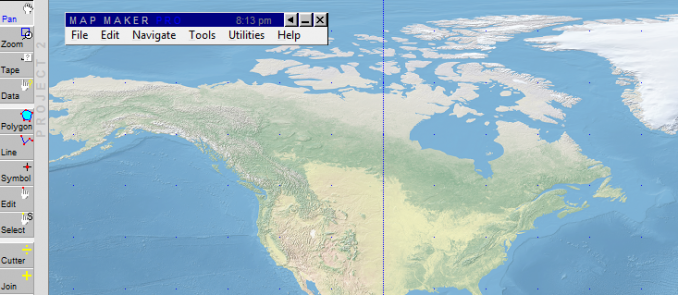
When we downloaded MapMaker Pro, a cute black cat icon appeared on our desktop. We were instantly in love. We tested the software and realized instantly – MapMaker Pro's goal is for anyone to be able to create a map with ease. You can produce maps without a GIS certificate. But it also comes with some GIS features too. There are capabilities to manipulate 3D, GPS, vector and raster data. Common GIS formats can be imported too. It's a low-cost solution for those who need to make maps. But you're better to look in other options.
ADVANTAGES
DISADVANTAGES
Very general map production
Dated interface without frequent releases
Lack of GIS processing functions
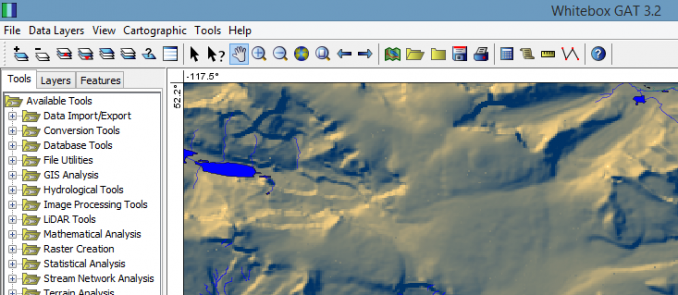
21 Whitebox Geospatial Analytical Tools (GAT)
Open Source Community 0 Research 1 Employer 0 Popularity 0.4
Here is the diamond in the rough. I see Whitebox GAT as the most underrated software package on this list. I feel that it is inevitable to move up the rankings in the years ahead. Here's why:
It has out-of-this world LiDAR support. Nobody should run to ArcGIS for LiDAR conversion again. (Esri's LAS dataset was awkward to begin with) The out-of-the-box tools in Whitebox GAT far exceeds Esri ArcGIS.
360 plugin tools to choose from for GIS analysis. Whitebox GAT has tools for conversion, import/export, analysis, hydrology, image processing, LiDAR, mathematical analysis, raster, statistics, stream network and terrain analysis.
Developers can create new plugin tools and extensions using built-in Python scripting.
It's been translated into 11 different languages
And it's only been in development since 2009.
ADVANTAGES
DISADVANTAGES
LiDAR, terrain and hydrology superiority
Similar look and feel to Esri ArcMap
Break-neck processing speeds
Frequent releases with updates/li>
Not much for symbology and labeling options
Lack of GIS processing functions
22 XMap (Delorme)
Commercial Community 0 Research 0 Employer 0 Popularity 0
XMap is a user-friendly, low-cost, all-in-one GIS software. Simplifying data collection is at the top of XMaps list of primary functionality. Users can create forms to easily collect data in the field. XMap really bridges the gap between data collection and field staff.
Other key points is that XMap Professional is a GIS data viewing application, fully integrated in Esri. XMap GIS Editor offers tools to import, create, query and edit data for small-scale GIS operations.
ADVANTAGES
DISADVANTAGES
Simplifies field data collection tool
Editing tools, data visualization and base maps
GPS functionality
Specializes in form-based field data collection without traditional options
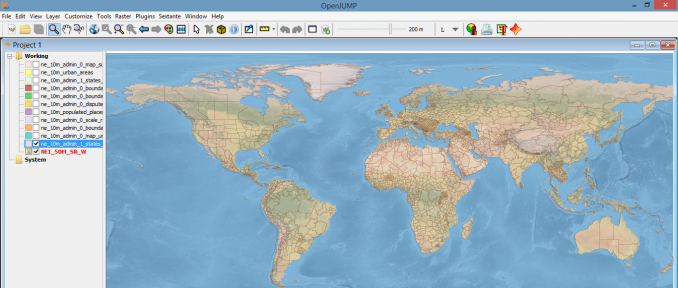
23 JUMP GIS (OpenJUMP)
Open Source Community 0 Research 1 Employer 0 Popularity 0
JUMP GIS (JAVA Unified Mapping Platform) all started as a conflation project by Vivid Solutions Inc. After its initial creation, Vivid Solutions stopped creation of JUMP GIS. However, the company eventually decided to support it because of the overwhelming support from its user community.
Eventually JUMP GIS began a larger community effort and the name was eventually chosen to be "OpenJUMP". Although JUMP was primarily used as a conflation software package, it grew into much more. OpenJUMP offers vector editing and support for a wide range of formats.
ADVANTAGES
DISADVANTAGES
Conflation support
Little-to-no raster functionality
Lacking documentation
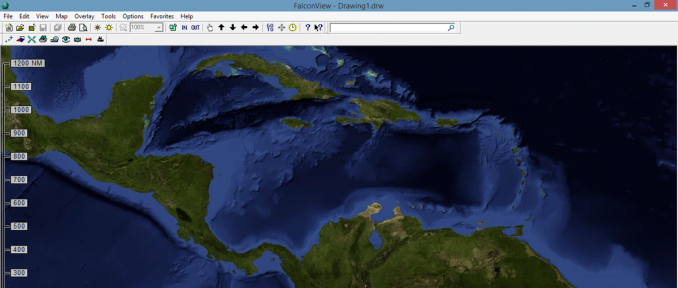
24 FalconView
Open Source Community 0 Research 0 Employer 0 Popularity 0
The initial purpose of FalconView is to be a free and open source software. Georgia Tech built this open software for displaying various types of maps and geographically referenced overlays.
Something neat about FalconView is that most of its users are from the US Department of Defense and other National Geospatial Intelligence Agencies. This can be seen in the combat flight planning options available in the software. FalconView is a mapping tool and supports various types of display like elevation, satellite, LiDAR, KMZ and MrSID. SkyView mode can perform fly-throughs and even has the ability to open .MXD files.
ADVANTAGES
DISADVANTAGES
Supports various types of display like elevation, satellite, LiDAR, KMZ and MrSID
SkyView for fly-throughs
Mostly for flight planning
25 SuperGIS (Supergeo Technologies Inc)
Commercial Community 0 Research 0 Employer 0 Popularity 0
SuperGIS Desktop offers an abundance of GIS tools to visualize, process, analyze, and manage geospatial data effectively. Some of its defining features are: being able to import various data formats and geodatabase as well as creating geoprocessing workflows.
Extensions include 3D, network, spatial, statistical, biodiversity and topology analyst. There are add-ons for GPS, server desktop client, online imagery and feature guided pages.
ADVANTAGES
DISADVANTAGES
3D, network, spatial, statistical, biodiversity and topology analyst
Add-ons for GPS, server desktop client, online imagery
Concerns that SuperGIS is a carbon-copy of ArcGIS
26 MicroImages (TNTgis)
Commercial Community 0 Research 0 Employer 0 Popularity 0
The MicroImages TNTgis family consists of 3 separate software packages. TNTmips provides all the tools needed to create, edit, georeference, interpret, and publish any type of geospatial data. TNTedit gives the necessary tools to display, create, georeferenced and edit map data.
While TNTview is simply a data viewer for various forms of data such as CAD, vector, LiDAR and TIN.
ADVANTAGES
DISADVANTAGES
TNTview for basic map design
TNTeditor for creating and editing geospatial data
TNTscripts for automating workflow
License cost
Small user base and room for collaborating with other users
27 MapRite (Envitia)
Commercial Community 0 Research 0 Employer 0 Popularity 0
Envita MapRite is a market leader in conflation and data cleansing. Customers like Land Registry, Scottish Power and Network Rail are using MapRite because of its ability to maintain accurate records.
It is an automatic service for managing map change. It has also developed enhancements include superior annotation handling, importing rasters and reporting features.
ADVANTAGES
DISADVANTAGES
Corrects asset location errors
Data cleansing and conflation
Reporting feature
Specialized tools for specific tasks
28 TatukGIS
Commercial Community 0 Research 0 Employer 0 Popularity 0
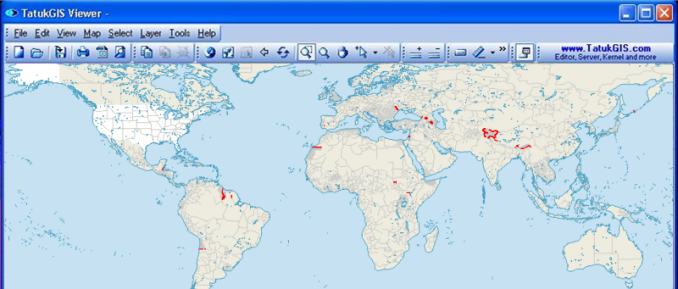
The TatukGIS Editor is a professional desktop GIS mapping and data editing application with a built-in scripting environment. The product natively supports (without format conversion or import/export operation) most industry-standard vector, raster, and grid formats, SQL database layers, and spatial databases (Oracle Spatial, PostGIS, etc.).
Leading features include user-friendly data editing, state-of-the-art support for coordinate systems, WMS/WFS/TMS/WMTS data streaming, 3D visualization and related features, vector and image layer rectification, and support for essentially all database engines. Built-in scripting IDE for writing and debugging code exposes, within the Editor, the full power of the TatukGIS Developer Kernel (SDK) object API for modifying the Editor or adding new features. Fun fact: The origin of TatukGIS is based on Tatuk Lake in British Columbia, Canada.
ADVANTAGES
DISADVANTAGES
Built-in scripting environment
Nativel support for most industry-standard formats
License cost
29 OrbisGIS
Open Source Community 0 Research 0 Employer 0 Popularity 0
OrbisGIS is a cross-platform open source GIS software package designed by and for research. It provides some GIS techniques to manage and share spatial data.
OrbisGIS is able to process vector and raster data models. It can execute processes like noise maps or hydrology process without any add-ons. Plug-ins are available but are very limited for the time being.
What are the advantages and disadvantages of using OrbisGIS: Lacking documentation, limited list of plugins, open source, research uses
30 KOSMO
Open Source Community 0 Research 0 Employer 0 Popularity 0
KOSMO is a child project of JumpGIS. Instead of data conflation, KOSMO has veered in the direction of vector/raster algorithms and geo-processing tools. It also brings support to many different file formats and powerful querying. This GIS software mainly consists of Spanish users from universities and companies.
A List of GIS Software – Ranked by Public Opinion
GIS professionals often complain there isn't a clear picture of the GIS software market. Wouldn't it be nice to get the bigger picture?
What GIS software is the industry using today?
Who owns most of the GIS market share?
What are other GIS software options?
The 30 GIS desktop software options was from the voice of employers, researchers and GIS communities.
But how were our rankings compiled?
40% is based on which GIS software is required by employers in job postings
So you've graduated college… It's a major milestone. Congratulations. But remember that the career you want to pursue may require knowledge in specific GIS software products. This is why we've relentlessly searched years of job postings data. You get a complete picture of what GIS software employers are requesting in job postings.
20% is based on which GIS software is being used in research and publications
So maybe a job isn't your thing just yet. Graduate school it is… not a bad option. You'll probably want to publish a research paper. What are credible sources of GIS software currently being used? We've done the work for you. We've plucked from hundreds of research publications from the last 5 years the GIS software performing the analysis.
20% is based on which GIS software is being searched for
How much are GIS professionals speaking about a specific software package? When you have a question about GIS software, Google search is often the way to go. This data has been quantified using Google Trends for each GIS software package in this list.
20% is based on which GIS software is being discussed in community forums
For those who can't find their answer in Google Search, the next place they'll end up is a GIS community forum. But we don't want to skew data by only selecting Esri forums. What are "neutral" GIS discussion forums? We looked at only 2 – GIS Subreddit and GIS Stack Exchange. When you aggregate the discussion topics from these two communities, this sums up community forum voice.
What's Next?
If you're in the geospatial industry, your choice in GIS software is critical. We've mapped out the GIS software landscape for you. You have 30 options to choose from based on employers, researchers and the voice of the GIS community.
Quality is often, but not always, a cause of popularity.
Does McDonald's really have the best hamburgers even though they sell millions every day? Marketing, branding, advertising, consumer perception contribute to what the consumer will buy.
We've developed a formula to rank the different GIS software products. However, this formula is not "magic" and should not dictate your choice in GIS software.
What a formula can do is give you a basic structure on the perceptions of GIS users of the world.
What the formula cannot do is teach you the point of intersection between your needs and the desired product.
The GIS software options out there seem endless. ArcGIS, QGIS, GRASS GIS, SuperGIS, SAGA GIS, JUMP GIS… The range of GIS products to choose from can get a bit "ridiculous" at times.
Don't worry.
You map out solutions to real-life problems every day. You just need someone to map out the GIS software landscape for you.
A GIS software landscape that is constantly changing with commercial and open source to choose from.
Today, you will get a sneak peek at what GIS software packages the industry is using. Discover the GIS software market and learn all the options available for you in our list of GIS software.
1 ArcGIS (Esri)
Commercial Community 100 Research 100 Employer 100 Popularity 100
Esri ArcGIS is the powerhouse in GIS. It's so influential that the term ArcGIS is sometimes (mistakenly) used interchangeably with GIS. Esri sits on top of the world as the biggest GIS software company. No questions asked.
You may have wasted hours trying to complete a basic task with other software. It may be because the tool did not exist or took several steps to get there. This is why ArcGIS is a worthy time investment. It often gets the job done faster. Esri raises the bar to the next level in the GIS industry while other GIS software options are left playing catch-up.
ArcGlobe, ArcGIS Pro, ArcMap (Basic, Editor and ArcInfo), 3D Analyst, Spatial Analyst, Geostatistics, Network Analyst, etc. The functionality is there. But it comes at a price.
You hear it often from disgruntled GIS users from around the world: ArcGIS sucks. But our analytics shows the exact opposite. Esri leads the GIS software industry in user community discussion, employer software usage and academic research – by a substantial margin.
Do you want job security?
Do you want to publish a research paper?
Do you want to connect with GIS professionals?
All answers point to one thing. Learn ArcGIS. As Jack Dangermond says, 'applying geography to everything will change our world'.
ADVANTAGES
DISADVANTAGES
Customization, modeling and scripting
Maintenance and scalability
Cartographical output, Web mapping and data driven pages
Large user community and well supported documentation
Open Source Community 100 Research 17 Employer 4 Popularity 31.8
The accelerating use in QGIS represents the most significant open source technology adoption in GIS today. With QGIS (formerly Quantum GIS), you create, edit, visualize, analyze and publish geospatial information without a cost.
FOSS stands for Free and Open Source Software. FOSS is what QGIS is all about. It's free GIS software developed by a community of dedicated volunteers.
400. This is the number of plugins QGIS has to offer. If you really wanted to, you could test a new plugin every day of the year. Integrate your CAD data, generate heat maps and add OpenStreetMap and Bing layers in a flash.
QGIS plugins give you the power to process and analyze GIS data like the Incredible Hulk. If you like the AppStore, the QGIS plugin repository is your equivalent. In the GIS community, QGIS is widely believed as best open source option because of its top-of-the line cartography and processing.
ADVANTAGES
DISADVANTAGES
Extendability with plugins
Stunningly beautiful cartography and labeling
Large user base, online support and thorough documentation
Open Source Community 38 Research 85 Employer 2 Popularity 25.6
GRASS GIS (Geographic Resource Analysis Support System) was developed by the US Army Corps of Engineers and is a free alternative to commercial GIS software. It is remarkable how much the program has advanced over the years. Its use in academic publications is stunning. It's popular in academic circles because open source code can be inspected and tailored to their needs.
350. GRASS GIS offers this many modules for GIS analysis. This includes data management, image processing, graphics production, spatial modelling and visualization. It's no wonder why NOAA, NASA and USGS use GRASS GIS because of this open functionality. And don't forget that GRASS GIS can be unleashed through QGIS.
GRASS GIS brings advanced geospatial concepts to the world.
Commercial Community 22 Research 15 Employer 6 Popularity 11.6
At its core, MapInfo Professional allows you to create, manage and visualize GIS data. It does what all good GIS software can do. MapInfo connects geography with data but with a smaller price tag. MapInfo by Pitney Bowes' motto is "locational intelligence". Detailed mapping, data analysis, pattern & trend identification – these are reasons why businesses are deploying MapInfo's "location intelligence".
The MapInfo GIS Suite lets you create, access and manage geospatial assets, visualize business intelligence and customer data, and share high-quality interactive maps – quickly and easily.
MapInfo (alongside Intergraph) have been the only competitors to Esri in the commercial GIS market. Usability is key to MapInfo's GIS philosophy because usability means productivity. Beginner to advanced level users can do more with added functionality.
Commercial Community 15 Research 2 Employer 2 Popularity 5.2
Global Mapper was originally developed by USGS to display topographic maps (.DRG) and digital elevation models (.DEM). This GIS software has evolved into a cost-effective commercial product. Like most GIS software options, it allows users to view, edit, merge and export hundreds of supported file formats.
Global Mapper is an affordable and easy-to-use GIS application that offers access to an unparalleled variety of spatial datasets and provides just the right level of functionality to satisfy both experienced GIS professionals and beginning users.
As far GIS software reviews go, Global Mapper is known to be a "Swiss army knife" in GIS analysis. It's straight forward but also has an incredible amount of flexibility. Global Mapper hasn't strayed too far away from its original purpose of working with elevation data. Its primary applications include area calculations, viewshed analysis, watershed delineation, contour lines, 3D viewing, rectification tool and GPS support.
Commercial Community 6 Research 5 Employer 5 Popularity 4.4
With a 40 year history, Intergraph (now Hexagon Geospatial) has evolved into a prime GIS software solution for security, government, infrastructure and more. Intergraph is solution-driven and provides real-world GIS applications. How can GeoMedia deliver usable information? This is the core philosophy of Hexagon Geospatial.
GeoMedia, a comprehensive and dynamic GIS, extracts compelling intelligence from geospatial data and integrates it to present actionable information.
Intergraph GeoMedia is a vector and raster-based GIS software product. It's a mature GIS software program for data collection, analysis or management that delivers actionable intelligence. Actionable intelligence in transportation, utilities, communications and emergency management.
Commercial Community 7 Research 12 Employer 0 Popularity 4.2
Manifold System is one of those mapping software packages that you can pick up quickly. It consists of a desktop application, an object library for programmers and an Internet Map Server. Manifold has more or less the full capabilities of higher-priced GIS software package but without the price tag. An intuitive interface, programmability and running in 64-bit are some of its advantages. What makes Manifold System even better is the small price you pay for a good set of GIS processing and data management tools.
Manifold GIS is a combination of mapping, CAD, DBMS and image processing. The hallmark of GIS is the power of using a visual interface to view, grab, analyze, manipulate and transform data that would not be comprehensible in classic row and column DBMS text presentations.
ADVANTAGES
DISADVANTAGES
Stable and intuitive GUI
Wide range of functions with programmability
Natively 64-bit
Low price
Minimal cartographical tools available
8 SAGA GIS
Open Source Community 15 Research 4 Employer 0 Popularity 4.0
Its name says it all. SAGA GIS stands for "System for Automated Geoscientific Analyses". It's no secret that SAGA GIS specializes in higher-level physical geography applications. Its developers have put an incredible amount of time in building a robust free GIS software package. It's transformed itself into one of the primary open source GIS software packages in the world.
SAGA gives geoscientists an effective but easy learnable platform for the implementation of geoscientific methods.
Standard modules on SAGA GIS are for raster visualization and terrain data. Over 300 modules exist ranging from manipulating raster and vector data to storing, managing and creating spatial data. Multiple windows (histograms, attribute data, map view, print layout, scatter plots and properties) can be set up to give you a complete picture. You just need the screen real estate. SAGA's API makes it easy to implement your own modules. Although the command line isn't user-friendly, it can be used with batching and routine processes.
ADVANTAGES
DISADVANTAGES
Unique toolsets for geoscience not found in most GIS software
Commercial Community 1 Research 8 Employer 3 Popularity 3.8
GE SmallWorld
If you're working in telecommunications or utilities, take a look at GE Smallworld. When SmallWorld was acquired by General Electric, it became the GIS software of choice by utility companies. Its main product is SmallWorld Core which specializes in managing network infrastructures.
This revolutionary, object-oriented, database-driven product provides a powerful, consistent architecture at the heart of many applications, such as those used for planning electric, gas and water distribution systems, designing telecommunications networks and evaluating strategic market opportunities.
But SmallWorld is not your typical do-it-all GIS software. Key advantages are its open data accessibility and scalable architecture. GE Smallworld enables data access and querying, thematic mapping and visualization. It offers spatial analysis tools like buffering, proximity measurements and network analysis. SmallWorld's version managed database (VMDS) sets it aside from competition because of its ability for versioning and restoring backups.
ADVANTAGES
DISADVANTAGES
Specialized for utility/network infrastructure
Versioning, MAGIK coding
Not complete for all GIS purposes
High cost of license and maintenance
10 ILWIS
Open Source Community 12 Research 3 Employer 0 Popularity 3.2
If you like to visit the past, the ILWIS (Integrated Land and Water Information System) website is like travelling back in time. It also means that ILWIS has been around for a while. ILWIS has existed in the GIS software landscape for as long as GRASS GIS.
It started development in the Netherlands and later became free GIS software. It's similar in many respects to GRASS- vector, raster processing with practical tools. Advanced techniques are erosion modeling and raster image processing may put ILWIS in your peripheral vision.
Commercial Community 3 Research 12 Employer 0 Popularity 3.2
Since 1987, IDRISI has delivered remote sensing and image processing as an inexpensive option for analysis.
You may have grown up using IDRISI. Universities around the world are structuring courses around IDRISI. And with good reason – the software includes exactly what you need – image classification tools, restoration, enhancement, temporal analysis and object-based image analysis.
What you may not have known is that IDRISI has vector-based functionality as well. There is a range of basic to advanced tools for spatial analysis. IDRISI includes tools for spatial statistics, distance calculation and database querying.
ADVANTAGES
DISADVANTAGES
Monitoring and modeling the Earth system
Object-based image classification and land change modelling
2D and 3D visualization with time series
Low documentation without community forum
Mapping layout support
12 AutoCAD Map 3D and Autodesk Geospatial (Autodesk)
Commercial Community 4 Research 1 Employer 3 Popularity 3.0
Not many companies can claim they single-handedly took the largest market share of an industry. Well, Autodesk has done this with the CAD industry. Autodesk is also integrating itself in the geospatial market with their GIS software product "AutoCAD Map 3D and Autodesk Geospatial".
These products are meant to bridge the gap between CAD and GIS. You can derive more value from your data with geospatial analysis. For example, buffers can be applied to notify affected properties within a specified distance during municipal rezoning applications. Querying can identify pipeline material in a dataset. When you link CAD and GIS, you get the best of both worlds.
AutoCAD Map 3D software provides access to GIS and mapping data to support planning, design, and data management.
ADVANTAGES
DISADVANTAGES
CAD/GIS fusion
Topology, analysis and querying tools
2D and 3D visualization with time series
Limited mapping and thematic tools
Bulky interface
Cost
13 GeoDa
Open Source Community 2 Research 8 Employer 0 Popularity 2.6
GeoDa is a free, cross-platform software designed for dynamic visualization, exploratory spatial data analysis, and spatial statistics. It has been around for almost 15 years starting as an ArcView 3.x extension. Later, it was recoded to be independent of ArcView and is now associated with an illustrious group of GIS educators and researchers.
GeoDa is an open source software tool implementing state-of-the-art methods for geospatial analysis, geovisualization, geosimulation, and spatial process modeling.
ADVANTAGES
DISADVANTAGES
Data exploration for understanding statistics
Geosimulation with data display
Specialized in statistics and not full-fledged GIS software
Missing traditional tools like editing and geo-algorithms
Open Source Community 8 Research 2 Employer 0 Popularity 1.75
The gvSIG project began in Valencia, Spain to replace commercial GIS software. gvSIG is a GIS software package that handles, captures, stores and solves complex geographic problems. It places emphasis to access all common vector and raster formats in a user-friendly interface. gvSIG offers a range of tools (query, layout, geoprocessing, networks, etc) that compares to commercial GIS software options.
Some of the new developments are gvSIG 3D, which uses NASA's World Wind SDK for realistic 3D scenes. gvSIG Mobile helps field crews collect data with Windows Mobile devices.
What are the advantages and disadvantages of using gvSIG: , , , gvSIG 3D, intuitive GIS processing, stable free GIS software.
Map all day. Geoprocess all night. All with gvSIG software.
Commercial Community 1 Research 2 Employer 2 Popularity 1.6
We step into a world of CAD and GIS all meshed into one. Bentley Map combines the power of CAD with the strengths of a traditional GIS. It offers interoperability and 2d overlay tools for GIS analysis. Advanced map finishing tools give high quality cartographical output.
It's powerful, extensible 2D/3D GIS and mapping software for the world's infrastructure
In Bentley Map, you can build 2D features with attributes and domain lists. But you can also build 3D features like buildings. This is useful for visualizing how underground utilities are networked. It renders terrain models and point cloud data quickly. One of the neatest qualities of Bentley Map is the capability to perform GIS analysis in 2D and 3D. Some of the 3D analysis possible with Bentley Map includes sunlight effects on buildings, custom fly through animations or shadow studies. Like all GIS software, you can create high quality cartographical output.
ADVANTAGES
DISADVANTAGES
CAD/GIS fusion
2D and 3D viewing
3D analysis
High cost
Poor labeling and annotation
Lack of KMZ/KML support
16 Golden Software (MapViewer, Surfer and Didger)
Commercial Community 1 Research 5 Employer 0 Popularity 1.5
Golden Software has developed several packages with an emphasis on uniquely displaying map data. MapViewer is a good choice for thematic mapping and spatial analysis. On the other hand, Surfer is a flexible mapping package primarily for 3D surface and contour mapping. It easily interpolates your XYZ data into functional maps at break-neck speeds. Lastly with Didger, you can dynamically digitize any map, graph, aerial photo, site map, or printed image regardless of size. These are 3 very unique ways to display data!
Surfer is a full-function 3D visualization, contouring and surface modeling package. MapViewer is an affordable mapping and spatial analysis tool that allows you to easily produce publication-quality thematic maps.
ADVANTAGES
DISADVANTAGES
Short learning curve and versatile
Focus is on data visualization
User-friendly
Manipulate XYZ points
Affordable
Specialized in specific areas
17 uDig – User-friendly Desktop GIS
Open Source Community 5 Research 1 Employer 0 Popularity 1.2
uDig (user-friendly Desktop GIS) was developed by Refractions Research. Refractions is the developer and maintainer of not only uDig but PostGIS – a standard open source spatial database. While uDig is a working open source desktop GIS application, it is also an open source GIS development platform. Volunteers world-wide continue to develop this open source desktop application. Focus is placed on database viewing and editing as well as a rich collection of GIS functionality.
ADVANTAGES
DISADVANTAGES
Biodiversity and forest management
Solid documentation
Incomplete for cartography and analysis
Less frequent releases compared to other open source GIS projects
Open Source Community 4 Research 0 Employer 0 Popularity 0.8
MapWindow 5 is a ready-to-use spatial data viewer and GIS software package. It's free and open source system that can be modified and extended using plugins.
MapWindow is good for basic GIS needs – map making tools, simple editing and visualization. It's also a promising open source solution for hydrology applications.
ADVANTAGES
DISADVANTAGES
HydroDesktop for data discovery, download, visualization, editing
Extensible plugin architecture
DotSpatial for GIS programmers
Smaller community support compared to other open source projects
19 Maptitude (Caliper Corporation)
Commercial Community 1 Research 0 Employer 0 Popularity 0.6
Maptitude is a GIS software package that provides the tools, maps and data you need to inspect geographic patterns in data. On top of that, you are able to create beautiful maps without much pain. Maps range from scaled-symbol thematic maps to 3D prism maps. Maptitude has a flatter learning curve than other GIS software in an affordable price range.
Maptitude focuses on solutions to geographic patterns with basic GIS processing tools. Industry solutions range from banking, business, health care, law enforcement, route planning and street mapping. You won't be using Maptitude for any advanced problems such as least squares regression or LiDAR conversion. But it's a bargain if you need some general purpose mapping.
ADVANTAGES
DISADVANTAGES
Quick and beautiful maps
Flat learning curve
Various map types and cartography options
Little support for advanced GIS processing (LiDAR and remote sensing)
Commercial Community 1 Research 0 Employer 0 Popularity 0.6
When we downloaded MapMaker Pro, a cute black cat icon appeared on our desktop. We were instantly in love. We tested the software and realized instantly – MapMaker Pro's goal is for anyone to be able to create a map with ease. You can produce maps without a GIS certificate. But it also comes with some GIS features too. There are capabilities to manipulate 3D, GPS, vector and raster data. Common GIS formats can be imported too. It's a low-cost solution for those who need to make maps. But you're better to look in other options.
ADVANTAGES
DISADVANTAGES
Very general map production
Dated interface without frequent releases
Lack of GIS processing functions
21 Whitebox Geospatial Analytical Tools (GAT)
Open Source Community 0 Research 1 Employer 0 Popularity 0.4
Here is the diamond in the rough. I see Whitebox GAT as the most underrated software package on this list. I feel that it is inevitable to move up the rankings in the years ahead. Here's why:
It has out-of-this world LiDAR support. Nobody should run to ArcGIS for LiDAR conversion again. (Esri's LAS dataset was awkward to begin with) The out-of-the-box tools in Whitebox GAT far exceeds Esri ArcGIS.
360 plugin tools to choose from for GIS analysis. Whitebox GAT has tools for conversion, import/export, analysis, hydrology, image processing, LiDAR, mathematical analysis, raster, statistics, stream network and terrain analysis.
Developers can create new plugin tools and extensions using built-in Python scripting.
It's been translated into 11 different languages
And it's only been in development since 2009.
ADVANTAGES
DISADVANTAGES
LiDAR, terrain and hydrology superiority
Similar look and feel to Esri ArcMap
Break-neck processing speeds
Frequent releases with updates/li>
Not much for symbology and labeling options
Lack of GIS processing functions
22 XMap (Delorme)
Commercial Community 0 Research 0 Employer 0 Popularity 0
XMap is a user-friendly, low-cost, all-in-one GIS software. Simplifying data collection is at the top of XMaps list of primary functionality. Users can create forms to easily collect data in the field. XMap really bridges the gap between data collection and field staff.
Other key points is that XMap Professional is a GIS data viewing application, fully integrated in Esri. XMap GIS Editor offers tools to import, create, query and edit data for small-scale GIS operations.
ADVANTAGES
DISADVANTAGES
Simplifies field data collection tool
Editing tools, data visualization and base maps
GPS functionality
Specializes in form-based field data collection without traditional options
23 JUMP GIS (OpenJUMP)
Open Source Community 0 Research 1 Employer 0 Popularity 0
JUMP GIS (JAVA Unified Mapping Platform) all started as a conflation project by Vivid Solutions Inc. After its initial creation, Vivid Solutions stopped creation of JUMP GIS. However, the company eventually decided to support it because of the overwhelming support from its user community.
Eventually JUMP GIS began a larger community effort and the name was eventually chosen to be "OpenJUMP". Although JUMP was primarily used as a conflation software package, it grew into much more. OpenJUMP offers vector editing and support for a wide range of formats.
ADVANTAGES
DISADVANTAGES
Conflation support
Little-to-no raster functionality
Lacking documentation
24 FalconView
Open Source Community 0 Research 0 Employer 0 Popularity 0
The initial purpose of FalconView is to be a free and open source software. Georgia Tech built this open software for displaying various types of maps and geographically referenced overlays.
Something neat about FalconView is that most of its users are from the US Department of Defense and other National Geospatial Intelligence Agencies. This can be seen in the combat flight planning options available in the software. FalconView is a mapping tool and supports various types of display like elevation, satellite, LiDAR, KMZ and MrSID. SkyView mode can perform fly-throughs and even has the ability to open .MXD files.
ADVANTAGES
DISADVANTAGES
Supports various types of display like elevation, satellite, LiDAR, KMZ and MrSID
SkyView for fly-throughs
Mostly for flight planning
25 SuperGIS (Supergeo Technologies Inc)
Commercial Community 0 Research 0 Employer 0 Popularity 0
SuperGIS Desktop offers an abundance of GIS tools to visualize, process, analyze, and manage geospatial data effectively. Some of its defining features are: being able to import various data formats and geodatabase as well as creating geoprocessing workflows.
Extensions include 3D, network, spatial, statistical, biodiversity and topology analyst. There are add-ons for GPS, server desktop client, online imagery and feature guided pages.
ADVANTAGES
DISADVANTAGES
3D, network, spatial, statistical, biodiversity and topology analyst
Add-ons for GPS, server desktop client, online imagery
Concerns that SuperGIS is a carbon-copy of ArcGIS
26 MicroImages (TNTgis)
Commercial Community 0 Research 0 Employer 0 Popularity 0
The MicroImages TNTgis family consists of 3 separate software packages. TNTmips provides all the tools needed to create, edit, georeference, interpret, and publish any type of geospatial data. TNTedit gives the necessary tools to display, create, georeferenced and edit map data.
While TNTview is simply a data viewer for various forms of data such as CAD, vector, LiDAR and TIN.
ADVANTAGES
DISADVANTAGES
TNTview for basic map design
TNTeditor for creating and editing geospatial data
TNTscripts for automating workflow
License cost
Small user base and room for collaborating with other users
27 MapRite (Envitia)
Commercial Community 0 Research 0 Employer 0 Popularity 0
Envita MapRite is a market leader in conflation and data cleansing. Customers like Land Registry, Scottish Power and Network Rail are using MapRite because of its ability to maintain accurate records.
It is an automatic service for managing map change. It has also developed enhancements include superior annotation handling, importing rasters and reporting features.
ADVANTAGES
DISADVANTAGES
Corrects asset location errors
Data cleansing and conflation
Reporting feature
Specialized tools for specific tasks
28 TatukGIS
Commercial Community 0 Research 0 Employer 0 Popularity 0
The TatukGIS Editor is a professional desktop GIS mapping and data editing application with a built-in scripting environment. The product natively supports (without format conversion or import/export operation) most industry-standard vector, raster, and grid formats, SQL database layers, and spatial databases (Oracle Spatial, PostGIS, etc.).
Leading features include user-friendly data editing, state-of-the-art support for coordinate systems, WMS/WFS/TMS/WMTS data streaming, 3D visualization and related features, vector and image layer rectification, and support for essentially all database engines. Built-in scripting IDE for writing and debugging code exposes, within the Editor, the full power of the TatukGIS Developer Kernel (SDK) object API for modifying the Editor or adding new features. Fun fact: The origin of TatukGIS is based on Tatuk Lake in British Columbia, Canada.
ADVANTAGES
DISADVANTAGES
Built-in scripting environment
Nativel support for most industry-standard formats
License cost
29 OrbisGIS
Open Source Community 0 Research 0 Employer 0 Popularity 0
OrbisGIS is a cross-platform open source GIS software package designed by and for research. It provides some GIS techniques to manage and share spatial data.
OrbisGIS is able to process vector and raster data models. It can execute processes like noise maps or hydrology process without any add-ons. Plug-ins are available but are very limited for the time being.
What are the advantages and disadvantages of using OrbisGIS: Lacking documentation, limited list of plugins, open source, research uses
30 KOSMO
Open Source Community 0 Research 0 Employer 0 Popularity 0
KOSMO is a child project of JumpGIS. Instead of data conflation, KOSMO has veered in the direction of vector/raster algorithms and geo-processing tools. It also brings support to many different file formats and powerful querying. This GIS software mainly consists of Spanish users from universities and companies.
A List of GIS Software – Ranked by Public Opinion
GIS professionals often complain there isn't a clear picture of the GIS software market. Wouldn't it be nice to get the bigger picture?
What GIS software is the industry using today?
Who owns most of the GIS market share?
What are other GIS software options?
The 30 GIS desktop software options was from the voice of employers, researchers and GIS communities.
But how were our rankings compiled?
40% is based on which GIS software is required by employers in job postings
So you've graduated college… It's a major milestone. Congratulations. But remember that the career you want to pursue may require knowledge in specific GIS software products. This is why we've relentlessly searched years of job postings data. You get a complete picture of what GIS software employers are requesting in job postings.
20% is based on which GIS software is being used in research and publications
So maybe a job isn't your thing just yet. Graduate school it is… not a bad option. You'll probably want to publish a research paper. What are credible sources of GIS software currently being used? We've done the work for you. We've plucked from hundreds of research publications from the last 5 years the GIS software performing the analysis.
20% is based on which GIS software is being searched for
How much are GIS professionals speaking about a specific software package? When you have a question about GIS software, Google search is often the way to go. This data has been quantified using Google Trends for each GIS software package in this list.
20% is based on which GIS software is being discussed in community forums
For those who can't find their answer in Google Search, the next place they'll end up is a GIS community forum. But we don't want to skew data by only selecting Esri forums. What are "neutral" GIS discussion forums? We looked at only 2 – GIS Subreddit and GIS Stack Exchange. When you aggregate the discussion topics from these two communities, this sums up community forum voice.
What's Next?
If you're in the geospatial industry, your choice in GIS software is critical. We've mapped out the GIS software landscape for you. You have 30 options to choose from based on employers, researchers and the voice of the GIS community.
Quality is often, but not always, a cause of popularity.
Does McDonald's really have the best hamburgers even though they sell millions every day? Marketing, branding, advertising, consumer perception contribute to what the consumer will buy.
We've developed a formula to rank the different GIS software products. However, this formula is not "magic" and should not dictate your choice in GIS software.
What a formula can do is give you a basic structure on the perceptions of GIS users of the world.
What the formula cannot do is teach you the point of intersection between your needs and the desired product.